
A facilities team may know where a piece of equipment sits but still spend too long finding the right manual. Another employee may have the document but lack enough context to identify the equipment on site.
Asset tagging in a captured environment can connect those two views: a physical location and its relevant information.
The opportunity is straightforward. The execution requires care. A tag that opens the wrong document, exposes restricted information, or points to a broken link can undermine confidence in the whole record.
Treat tagging as a small information-management project supported by spatial context. Start with useful tasks, then define the content, access, and maintenance that make the tags dependable.
Choose a task before choosing a tag count
A proposal to add hundreds of tags sounds comprehensive. It does not explain what those tags will help people accomplish.
Begin with a few recurring questions. Where is the equipment? Which approved document applies? Who owns the record? Where should a user go to request a correction?
Ask facilities staff and intended users which information is most difficult to locate. Consider an initial group of frequently referenced assets rather than trying to annotate everything at once.
An illustrative first phase might cover equipment in one plant room, with links to approved manuals and the existing asset register. The useful result is a person finding the right information in context, not a dashboard showing the largest possible tag count.
Establish a consistent identity
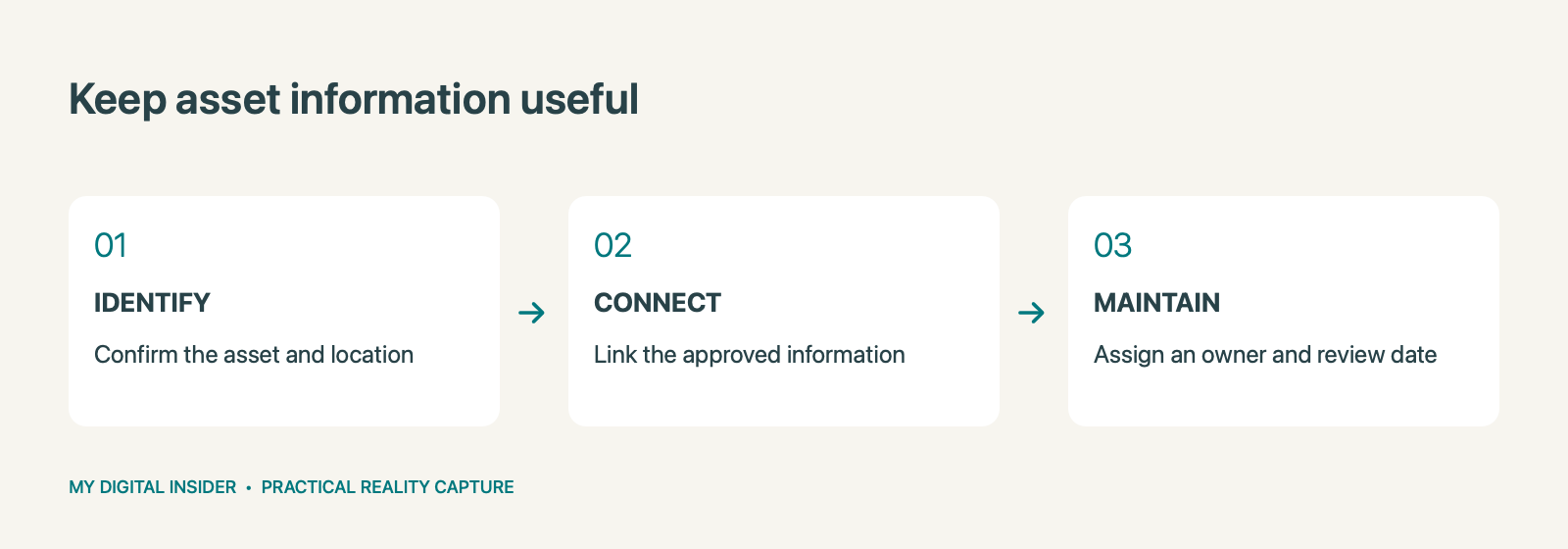
Before adding a tag, confirm how the asset is identified in the organization’s records. A label in a visual tour should not create a competing naming system that people must reconcile later.
Use an agreed asset identifier and a plain-language description. Record the location in terms that match the site’s room or zone conventions. Where equipment labels are unclear, ask the responsible team to resolve the identity before presenting the association as confirmed.
Avoid guessing from visual similarity. Two units that look alike may have different specifications, maintenance histories, or operating instructions.
Keep a simple review record showing who confirmed each asset-to-document association. That helps future editors understand where the information came from.
Link to the authoritative information
Whenever possible, point to the approved record rather than uploading another uncontrolled copy of a document.
A tag might connect to an internal asset page, an approved manual, a maintenance system record, or a controlled document library. The right destination depends on the organization’s existing workflow and the platform’s supported capabilities.
Do not assume that placing a link inside a tour synchronizes the underlying systems. The tag may simply provide navigation. If automated updates or integration are required, scope that separately and verify that it is supported.
The goal is a clear route to the correct information, with responsibility for maintaining that route.
Define permissions before distribution
A visual record can have several audiences. Facilities staff, external vendors, tenants, and public visitors may need different levels of access.
Decide which information belongs in each shared experience. A document suitable for an internal maintenance team may not belong in a public tour. A link that works for the administrator may fail for a contractor with different permissions.
Test the experience using the intended audience’s access level. Check both the captured environment and the linked destination. Access to one does not necessarily grant access to the other.
Avoid placing passwords or sensitive access instructions in tags. Use the organization’s approved access process for restricted resources.
Make the tag itself easy to understand
A concise label should tell the reader what the item is. The accompanying text should explain what they will find after opening the link.
For example, “Air-handling unit: approved manual and asset record” provides more context than “Click here.” Keep terminology consistent across the property so users do not have to learn a new labeling style in each room.
Where a record has not yet been verified, mark its review status clearly or hold it out of the shared experience until it is ready. Do not make an uncertain association look final.
Also consider visual clutter. Too many markers in one view can make navigation harder. Organize the information around the users and tasks the project is meant to support.
Test with a real task
Ask a person who did not build the tags to find an asset, open its approved information, and identify where to report a correction.
Observe where they hesitate. Is the location understandable? Does the label distinguish the asset from similar equipment? Does the document open on the device and account they normally use?
A short task-based review can reveal issues that a check of the tag list alone misses. Record failures and correct them before expanding to the next area.
Do not treat successful navigation as verification of the technical document itself. The responsible asset or document owner still needs to confirm that the linked information is appropriate.
Assign maintenance responsibilities
Tagging creates a continuing obligation. Assets move, manuals change, staff permissions evolve, and document systems are reorganized.
Name an owner for the spatial record and an owner for the underlying information. They may be different people. Agree how a user reports an error, who approves changes, and what triggers a review.
Useful triggers include equipment replacement, a room reconfiguration, a document-system migration, or a change in the intended audience. Include tag checks when recapturing an affected area so the new visual context does not retain obsolete associations.
The maintenance plan can be simple. It needs to be explicit.
Combine tagging with the right capture outputs
Tagging works best when it complements the rest of the project. A visual tour can support location and remote review. Drawings or a Revit/BIM model may serve design tasks. Compare views can help a team discuss visible changes over time.
Choose these outputs around the job rather than treating every option as a required bundle. If a platform add-on is proposed, ask for a sample, confirm availability, and establish exactly what is included.
For teams seeking help, Capture Now 360 can scope reality capture with asset tagging and supporting deliverables. The customer’s approved records and review owners remain essential inputs.
Request a project quote. Describe the facility, the assets you want to document, and the information users need to reach. Start with a manageable area and a clear definition of a useful tag.
Related reading
Explore our related reality capture guide.
Ownership disclosure: This publication’s owner also owns Capture Now 360.


Leave a Reply